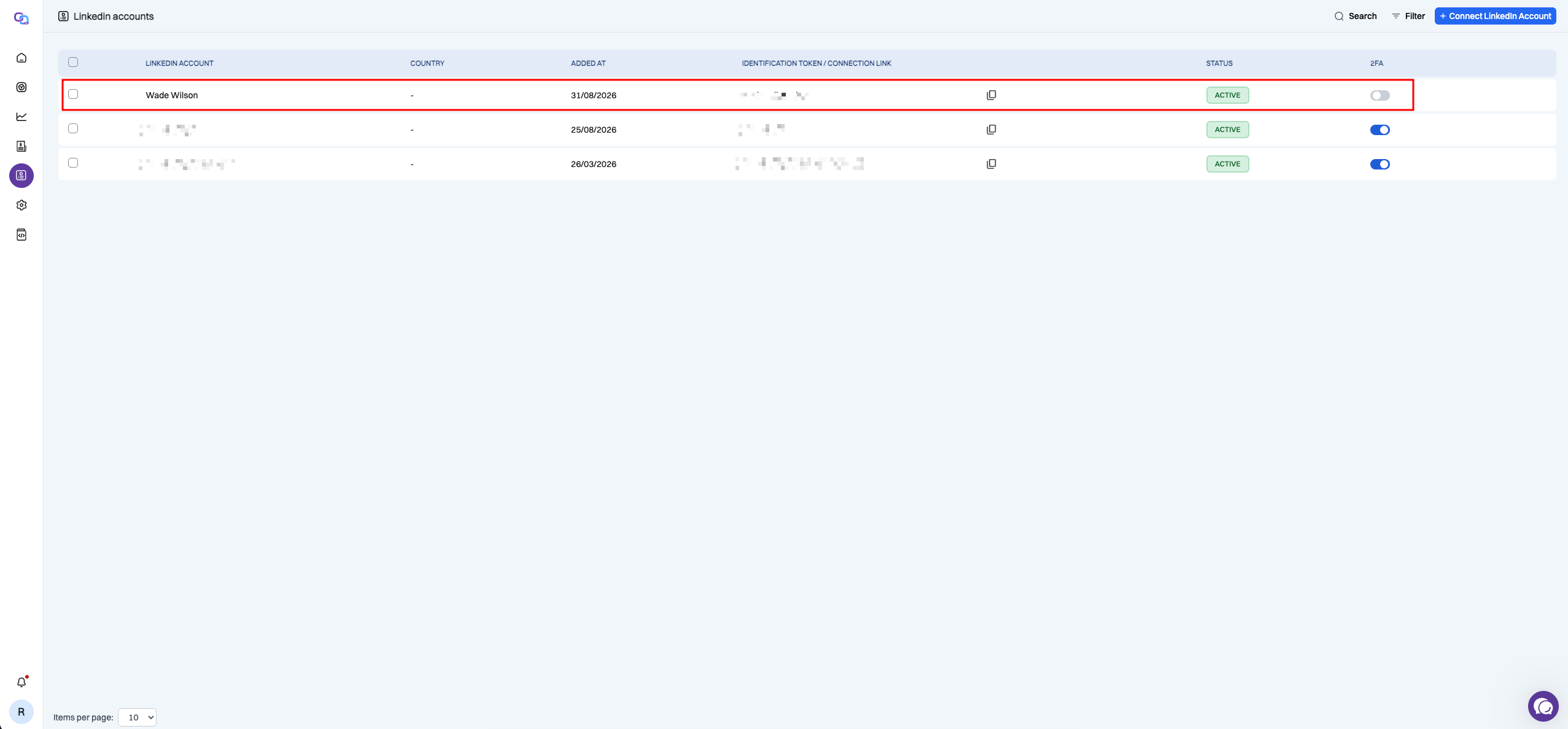
Visual LinkedIn Auth
Visual LinkedIn connection lets you connect a LinkedIn account without sending credentials through the API. We-Link generates a secure URL that opens a streamed LinkedIn session running in We-Link's secure browser, where the account can be logged in directly.
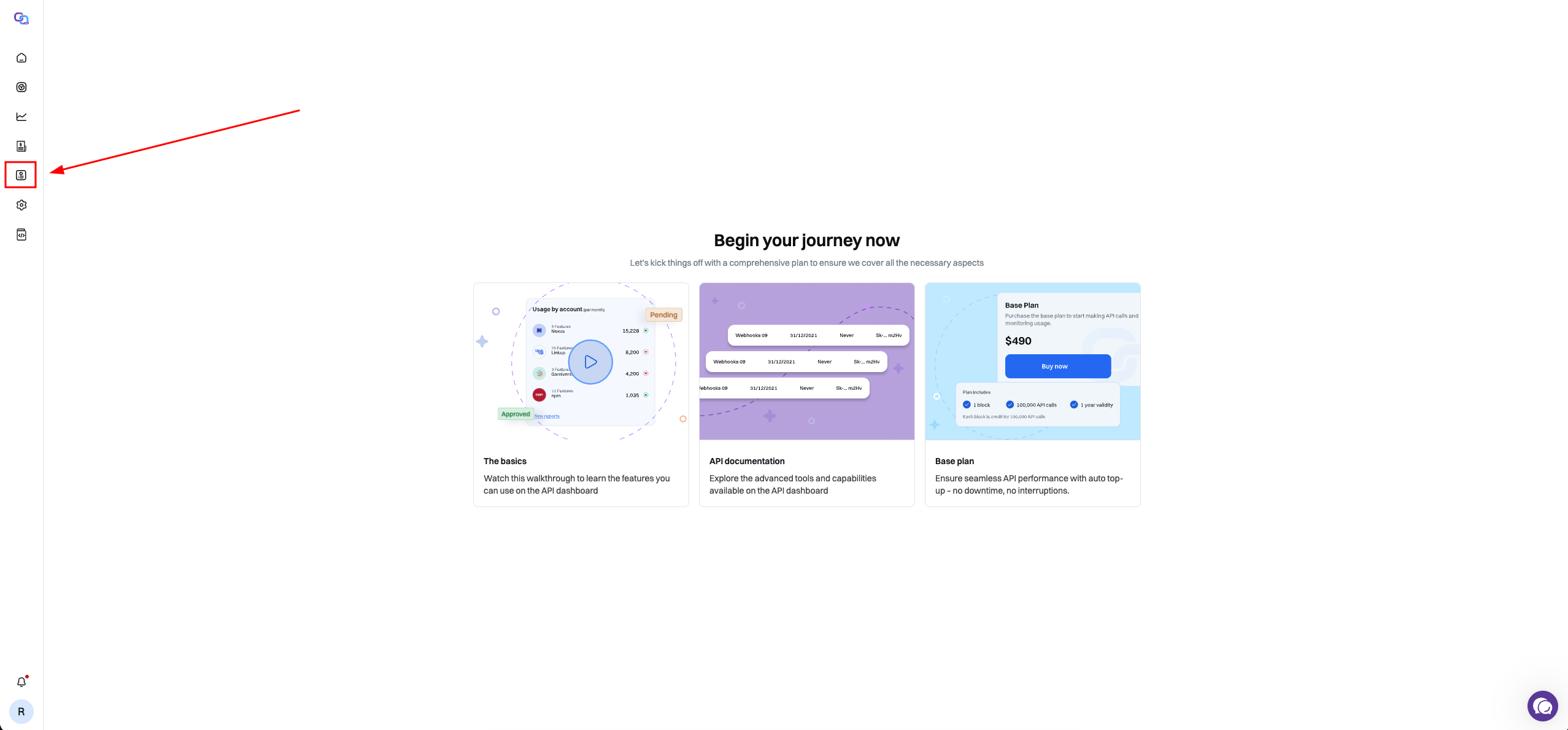
Step 1: Open LinkedIn Accounts
From the We-Link dashboard, open LinkedIn Accounts from the left navigation.
You will be taken to the LinkedIn Accounts page, where previously connected LinkedIn accounts are displayed.
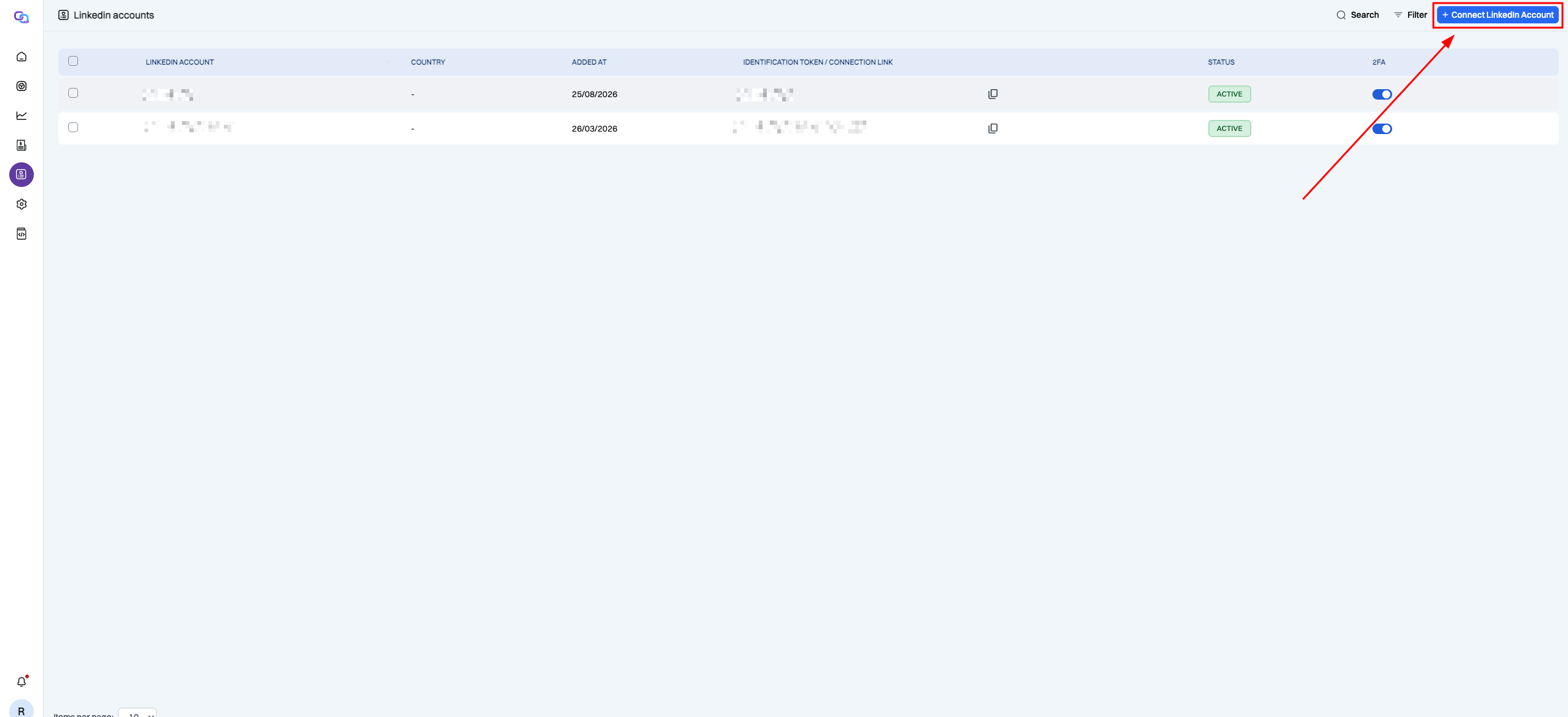
Step 2: Start a New LinkedIn Connection
On the LinkedIn Accounts page, click + Connect LinkedIn Account in the top-right corner.
This starts the LinkedIn account connection process.
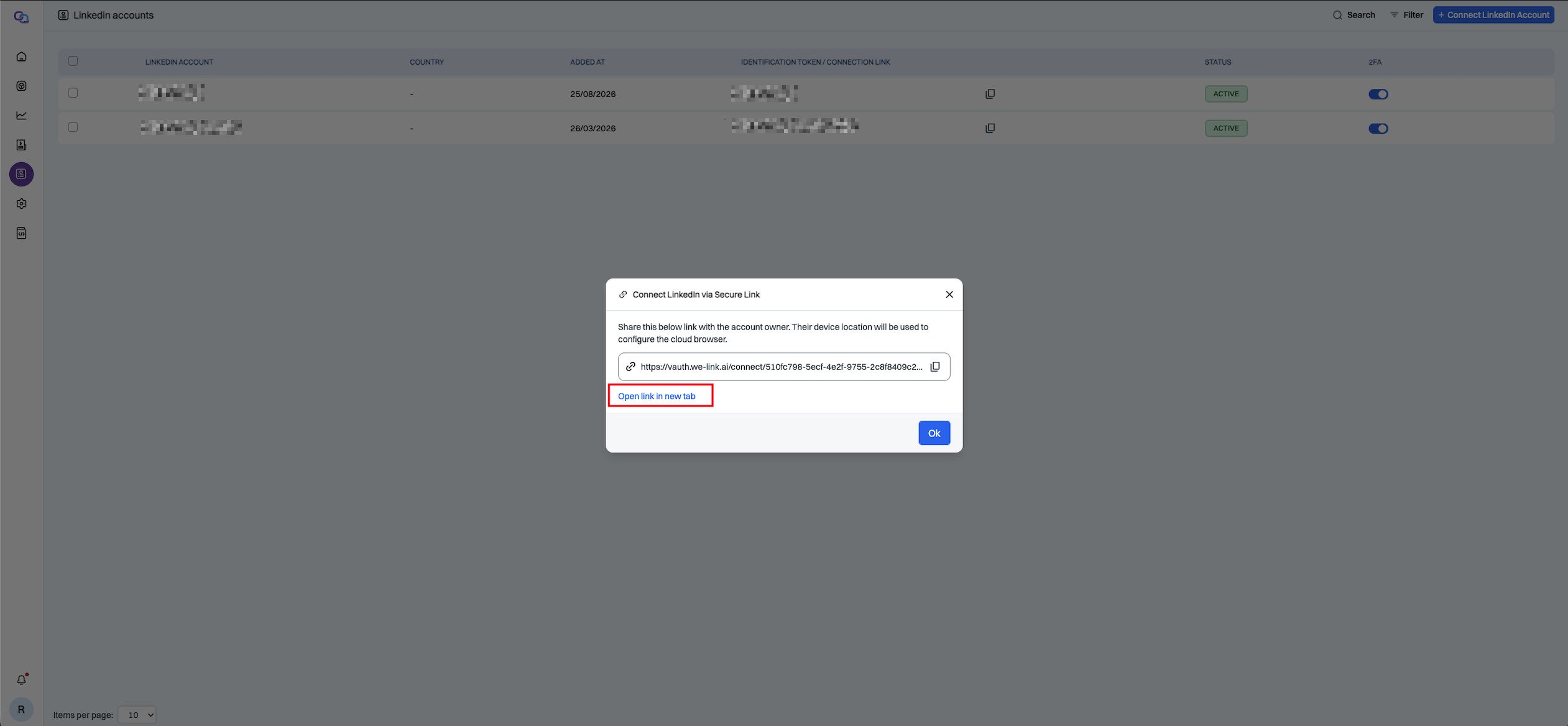
Step 3: Generate and Share the Secure Link
We-Link will generate a unique connection link which you can share.
Share this link only with the owner of the LinkedIn account you want to connect. Do not post it publicly.
Click Open link in new tab, or copy the secure link and send it to the account owner.
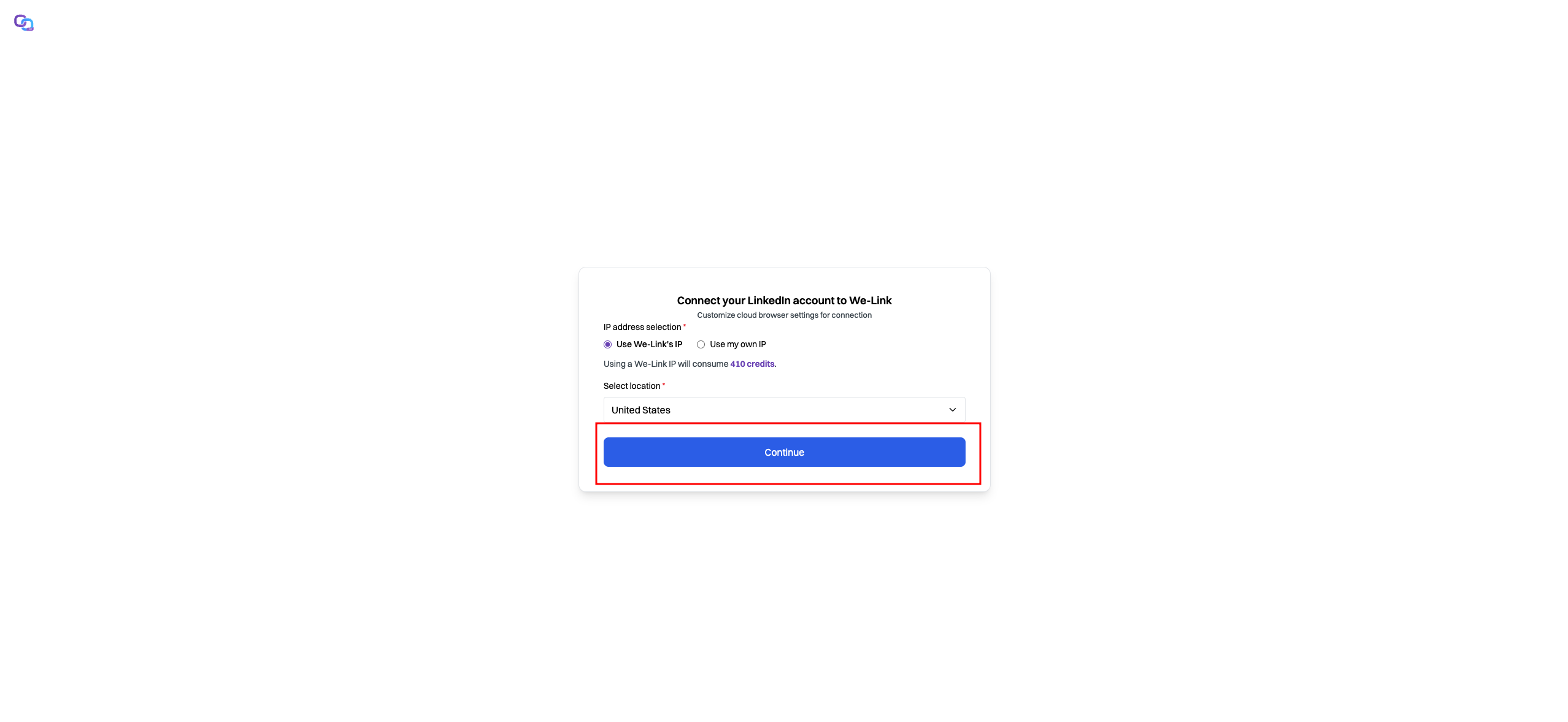
Step 4: Configure Proxy
Choose the IP address option for the linkedin account:
- We-Link's IP: Uses an IP address provided by We-Link (410 credits/m).
- Own IP: Uses own proxy IP address.
If We-Link's IP is selected, choose a location from dropdown, then click Continue.
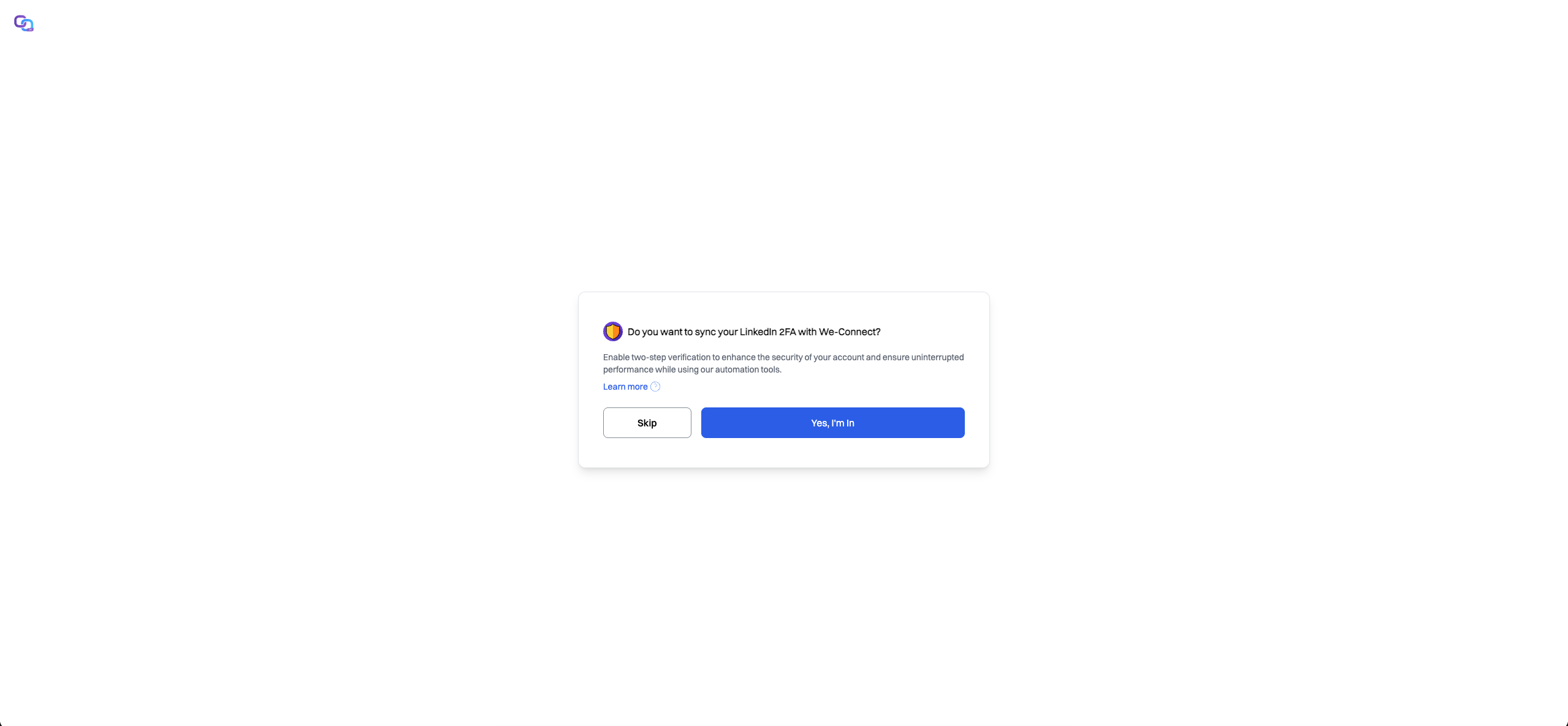
Step 5: Setup LinkedIn 2FA (Optional)
You can set up LinkedIn 2FA if needed. This helps resolve 2FA checks internally so that automations can run uninterrupted. For a detailed walkthrough, see the 2FA Setup Guide.
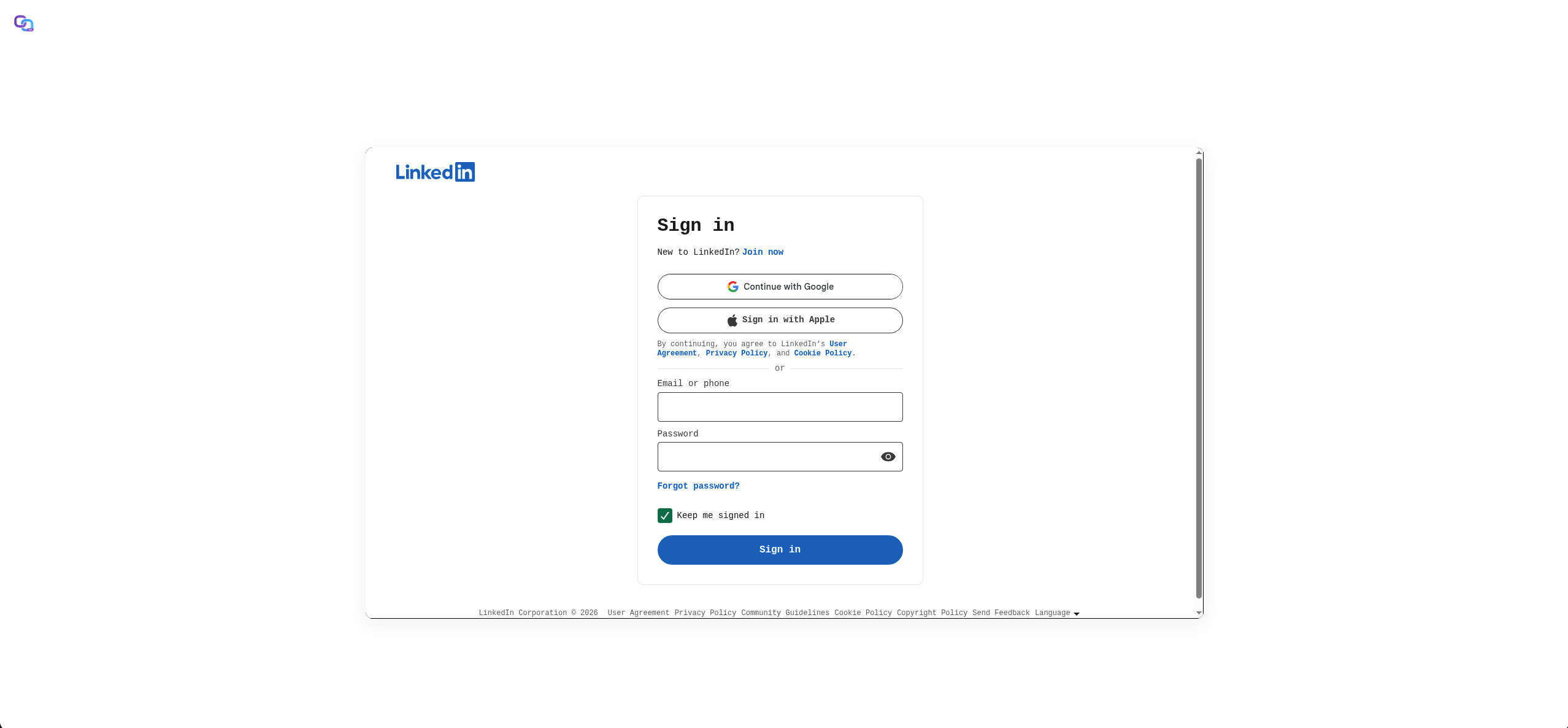
Step 6: Login to your linkedin account
The LinkedIn login page will be streamed to your browser, where you can safely log in to your LinkedIn account using the secure browser.
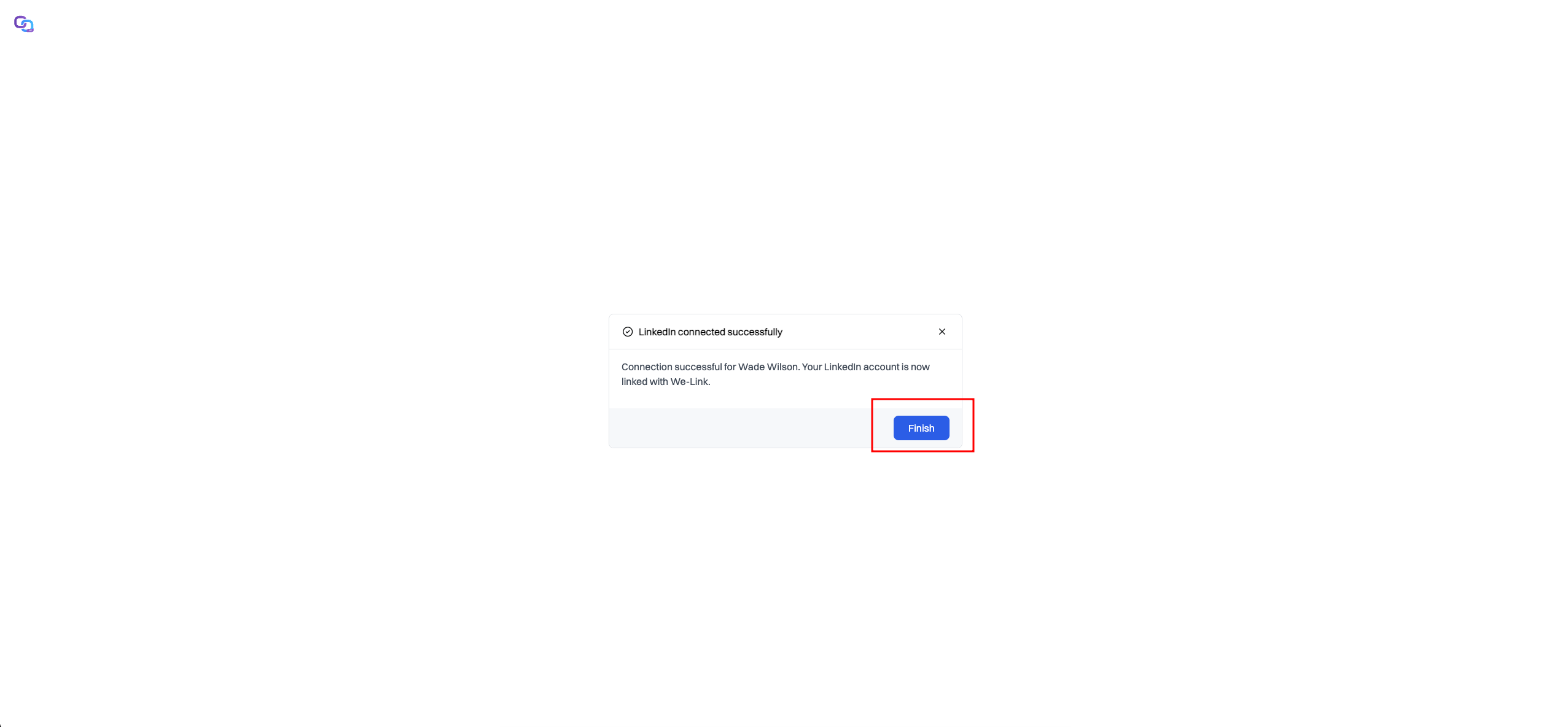
Step 7: Confirm Successful Connection
Once the connection completes, click Finish.
Step 8: Verify the Account
Return to the LinkedIn Accounts page and the newly connected LinkedIn account should appear in the list.